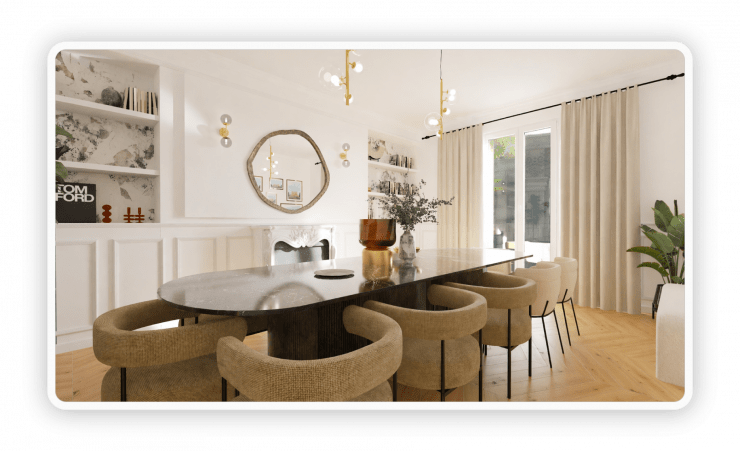
What can HomeByMe help you do?
Design in 2D, decorate in 3D, and share realistic images of furnished rooms.
- 2D home plansSet out the rooms and measurements before decorating.
- 3D room decoratingTry furniture and decor in a furnished project view.
- Realistic room imagesCheck the Starter image allowance before creating a larger set.
Our take on HomeByMe
Choose HomeByMe if you want to test a furnished home concept with a small number of projects. Check image allowances and export requirements before planning a larger library of rooms.
Mobile ratings and user feedback
The 4.4 out of 5 figure is the simple mean of the Google Play and US App Store ratings for the linked mobile app. It is separate from our editorial verdict. Google Play shows 1M+ installs; Apple does not publish a download total.
What users like: Reviews praise the decor catalog and 2D-to-3D workflow.
What users question: Sign-in, snapping, and some paid video exports cause friction.
AI-assisted themes from selected public reviews; not a full review census. Snapshot checked September 24, 2026.
Advantages and limitations
✓ Advantages
- Supports 2D floor plans and 3D room furnishing.
- Includes a catalog with branded decor products.
- Offers a free Starter plan for trying a complete concept.
△ Limitations
- Starter currently allows two projects and five Full HD images.
- 4K output and watermark-free 2D floor plans are on paid tiers.
What the app offers
Design flow
HomeByMe starts with a 2D plan, then lets you furnish and visualize the project in 3D. Its official pages emphasize decorating and sharing room images.
Starter plan
The current offers page lists two projects and five Full HD realistic images on the free Starter plan, along with unlimited 2D and 3D screenshots.
When to upgrade
Higher image allowances, 4K images, and watermark-free 2D plan exports are described under paid plans.
Access and platform
Plan names, included features, and export limits may change. Check the official links below for current terms in your region.
Official sources
We checked these product-owned pages on September 23, 2026. The verdict is an inference from documented features and limits.
Using this tool for a dining room?
Measure chair clearance and compare table, rug, and pendant positions before styling the room. See our dining room design guide for a step-by-step layout example.